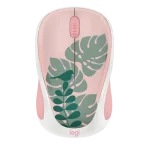
Logitech M340 Wireless Mice Collection

Importante nga mga Instruksyon
- Isulod ang AA nga baterya sa mouse ug i-on kini.
- I-plug ang USB receiver sa imong computer.
- Paghulat alang sa koneksyon nga maestablisar. Ang marka sa tsek nagpaila sa usa ka malampuson nga koneksyon.
Mga detalye
| Component | Deskripsyon |
|---|---|
| Baterya | AA |
| Uri sa Koneksyon | USB Receiver |
Koneksyon

Mga Gumagamit sa Windows
I-download ang Logitech Options+ App para sa gipaayo nga gamit: www.logi.com/optionsplus.
Suporta
www.logitech.com/support/m340.
Mga Dokumento / Mga Kapanguhaan
 |
Logitech M340 Wireless Mice Collection [pdf] Manwal sa Tag-iya M340 Wireless Mice Collection, M340, Wireless Mice Collection, Mice Collection, Collection |